You can view the offer letter issued to you and documents exchanged during the hiring process.
Offer Letter Issued
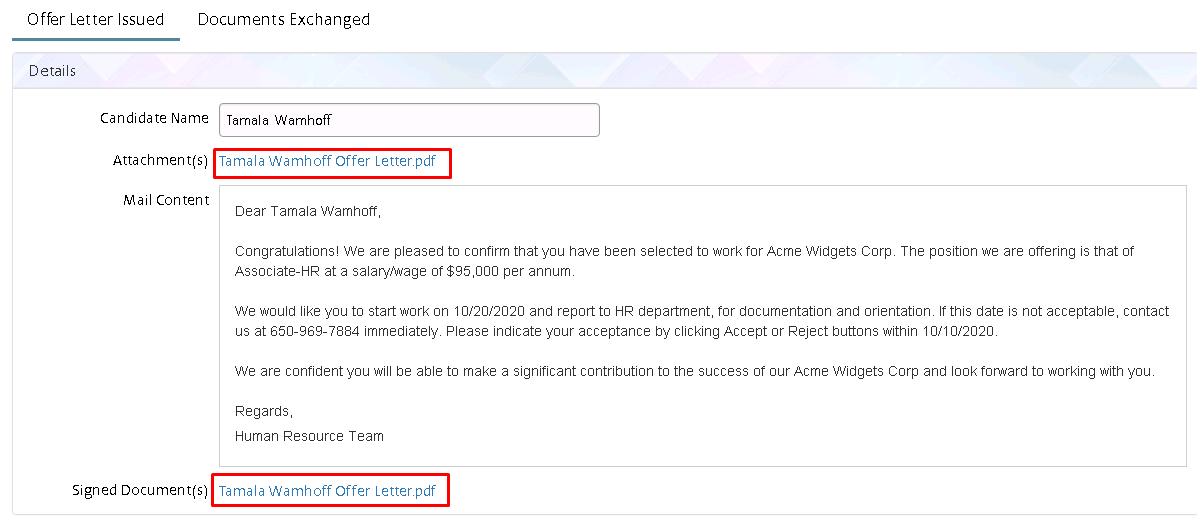
 This section displays the offer letter email you have received. To
download the offer letter, click on the link beside ‘Attachment’ and
to download the signed documents click the link beside the ‘Signed
Document(s)’ field.
This section displays the offer letter email you have received. To
download the offer letter, click on the link beside ‘Attachment’ and
to download the signed documents click the link beside the ‘Signed
Document(s)’ field.
Figure 1. Offer Letter Issued
Documents Exchanged
This section displays the list of documents exchanged during your
recruitment process.
Figure 2. Documents Exchanged

To view/edit details, click the View
 icon the
View Document Details
pop-up will appear. Make the required changes and click
Update
.
icon the
View Document Details
pop-up will appear. Make the required changes and click
Update
.